AUDIO
The song you keep playing on repeat
Add a song, melody or recording file. Pianolia extracts its notes to prepare your piano guide.MP3 · WAV · M4A
Import my audio Open the workshop
RECONNECT WITH YOUR PIANO
A song by your favourite artist, a track from your Spotify playlist, sheet music in a book… Import the music. Pianolia guides you to play it with ease
The piece comes from you
You already have the music in mind. Bring its source: Pianolia finds the notes
and turns them into a piano roll to follow on your piano.
AUDIO
Add a song, melody or recording file. Pianolia extracts its notes to prepare your piano guide.MP3 · WAV · M4A
Import my audioSHEET MUSIC
A page in a book, a photo or PDF: import your sheet music. Find its notes on the piano roll, without decoding everything before you start.PHOTO · PDF · IMAGE
Add my sheet musicYOUR PLAYLIST
Found a song on Spotify or YouTube that makes you want to play? Bring your music to the piano and practise at your own pace.SPOTIFY · YOUTUBE
Choose my pieceFollow the notes, slow down and play one hand at a time.
Your playlist, your artists, your inspiration
A song by your favourite artist, a film theme, a tune stuck in your head: bring its source and find it on the piano.
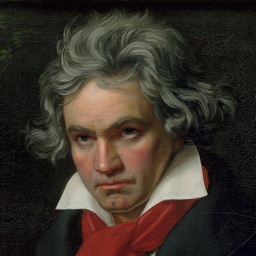
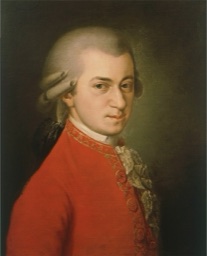
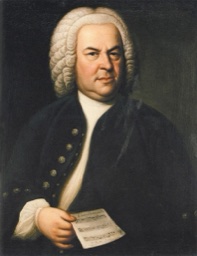
Three classics to play in Pianolia. For anything else, import your own music source. Image credits
Hear it from them
I don't read sheet music. Seeing the notes arrive on the keys helps me find my way and makes me want to keep going.
My keyboard had been gathering dust. Starting again with a piece I love, slowing down passages, brought back the joy of playing.
I work on one hand, then the other, before putting them together. What I value most is being able to move at my own pace.
I started with Für Elise. Listening to a passage and finding the same notes on the keyboard makes the piece feel more tangible.
The guide is easy to understand. I can focus on my hands and the melody without searching for each note on a score.
I don't always have much time to play. Repeating a few bars in a loop helps me make the most of every moment at the piano.
My old skills are slowly coming back. I like being able to slow the piece down and find my bearings without feeling I have to start over.
I put the screen next to my keyboard and follow the notes. It's easy to set up and enjoyable to practise.
I'd wanted to play Bach's Prelude for a long time. Discovering it slowly, one hand at a time, helps me understand how the two parts respond to each other.
Above all, I wanted the confidence to sit at the piano. Visual cues and a comfortable speed help me take that first step.
Between lessons, I revisit the passages that need work. The loop and speed controls have become my go-to tools.
I open my MIDI files in the workshop and find the notes on the keyboard. It's handy for exploring pieces I already have.
I can follow the guide on my acoustic piano without setting up a microphone. I like simply opening a piece and starting to practise.
I listen to the passage first, then play it more slowly. Hearing the music before playing helps me keep the melody in mind.
What I like is starting with the desire to play. The notes give me a path to follow, and I take my time.
From your source to your piano
Your desire to play chooses the piece.
Pianolia helps you move from the source to your piano keys.
Add audio, a photo or PDF of sheet music, or a YouTube link. You choose the piece that makes you want to play.
Your source becomes a piano roll: a visual guide showing which keys to play and when. The transcription may need corrections.
Follow the notes on your piano. Slow down, work on one hand at a time and repeat a passage until your music feels at home under your fingers.
Ready to return?
A song that moves you is a good reason to return to the piano. Import its source, even after years away, and let the piano roll help you find your way. Your desire to play opens the door.
The piece in your mind
finally at your fingertips
Your piano workshop
Import your file or start with a classic. Adjust tempo, choose a hand and play.
Is your piece a MIDI, MusicXML or Pianolia project? Open it and find its notes in the piano roll.
Import my fileBeethoven, Mozart, Bach: open an excerpt and practise the opening bars at your pace.
See the piano rollPiano starts with inspiration
Sometimes one piece is all it takes to return to the piano.
After years away, start with a piece you love today.
You listen to it on repeat in your playlist. Bring its audio or a compatible link to play it yourself.
A film theme stays in your head. Find its audio or YouTube link and prepare your piano guide.
Prepare a piece that matters to someone you love.
Start with the tune that makes you want to try, without waiting until you can read sheet music.
Photograph a page from your book or import its PDF. Pianolia turns it into notes to follow on the keyboard.
Slow down and repeat a few bars until they feel familiar.
Bring the music of your memories to life on the piano.
Enjoy a moment at the keyboard with a piece you chose.
Move phrase by phrase and hear what you can already play.
Your first note can begin with any of these ideas.
Your turn to playIn practice
You can discover Pianolia right away, then play on your piano.
Listen to examples and explore notes without creating a Pianolia account.
Follow the keys on an acoustic or digital piano. The visual guide works without a microphone.
Your projects are stored in this browser. Export them to use them after changing devices.
Step-by-step mode can also use a MIDI keyboard. Microphone accuracy depends on your instrument and sound environment.
A few simple answers
Answers to the most common questions.
Start with the piece you want to play and import its source: audio, a photo or PDF of sheet music, a YouTube link, MIDI or MusicXML. Pianolia prepares a guide from that source. You can also start with one of the three classics in the piano roll.
Yes. Your Spotify playlist or YouTube favourites are a starting point for choosing your next piece. Find its music source, open it in the workshop and practise the passages you love at your own pace.
Results depend on the source. Music with several instruments or unclear sheet music may need corrections. Pianolia gives you a guide to practise your piece; slowing down and repeating passages still helps you learn.
Import audio, a photo or PDF of sheet music, MIDI, MusicXML or MXL, or a Pianolia project. For a piece found on YouTube, paste its link into the workshop's dedicated input. Pianolia gathers your pieces in your library for every session.
No. The visual guide shows the keys to play. Start without reading sheet music, then take time to coordinate your hands. Practice remains part of the fun.
Listen to the examples here, then open the workshop to explore notes and pieces. A piano or keyboard is recommended to practise with your hands.
The visual guide works without a microphone. In the workshop, step-by-step mode can wait for notes via MIDI or microphone. Microphone detection depends on your equipment and surroundings; MIDI detects played keys directly.
Für Elise, Turkish March and Prelude in C major are available directly in the piano roll. For other titles, import your own music source into the workshop.
Projects are stored in this browser and are not automatically synchronised. Export them to keep a copy, especially if you clear browser data or change devices.
Yes. Open the workshop, explore examples and work on compatible files without a Pianolia account or payment.
That piece you love so much
Audio, sheet music, a link: start with your music.
Simple cues to make the most of each session.
Choose a piece that makes you want to sit at the piano. The joy of returning to it helps you practise regularly.
Listen to the passage once. Notice its melody and rhythm before putting your hands on the keyboard.
Reduce speed to give yourself time to find every key. Gradually speed up as movements become familiar.
Work on your left hand, then your right. Put them together once each has found its way.
Choose a short phrase and loop it. A passage that feels secure helps you approach the next one.
Follow notes arriving on the keys. Anticipate the next movement without losing the phrase's rhythm.
Find groups of two and three black keys. They help you locate notes on your own piano.
Isolate the accompaniment to hear the pulse and chord changes. The melody will find its place more easily.
Listen to the right hand alone, then play it slowly. Look for a flowing phrase beyond each individual note.
Move playback to the passage you want to practise. Starting a few notes earlier helps you recover its momentum.
Make time for the piano, even briefly. Returning often to a phrase makes its movements easier to find.
Keep hands and shoulders relaxed. Take a break when you feel tension, then resume more slowly.
After several slow attempts, listen at the original tempo. Keep the movement of the music in mind.
Export your Pianolia project to keep your work and find it on another device.
End your session with a phrase you love. The joy of hearing music under your fingers makes you want to return.
LET'S TALK MUSIC
An idea for Pianolia, a question, or simply want to chat? Write to me.